URL Shortener Extension
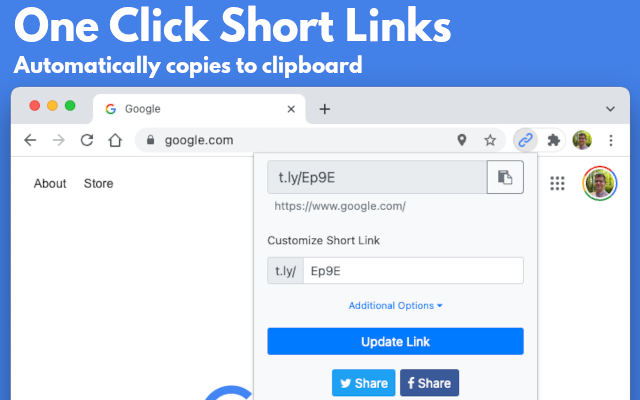
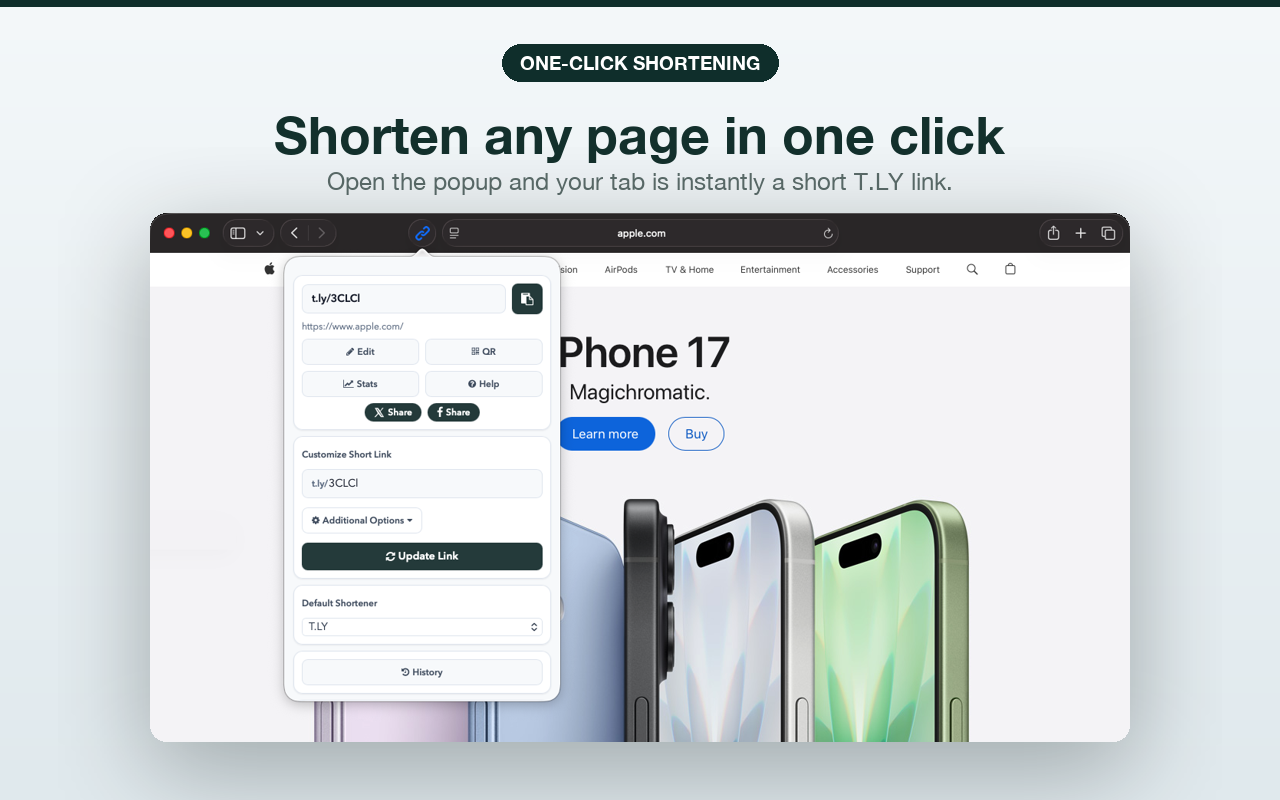
Add T.LY to your toolbar. Shorten the current page, right-click any link to create a short URL, and get a QR code automatically, without leaving your workflow.
What Browser Are You Using?


Supports Chrome, Firefox, Edge, Opera, and Safari.
Shorten links without leaving the Browser
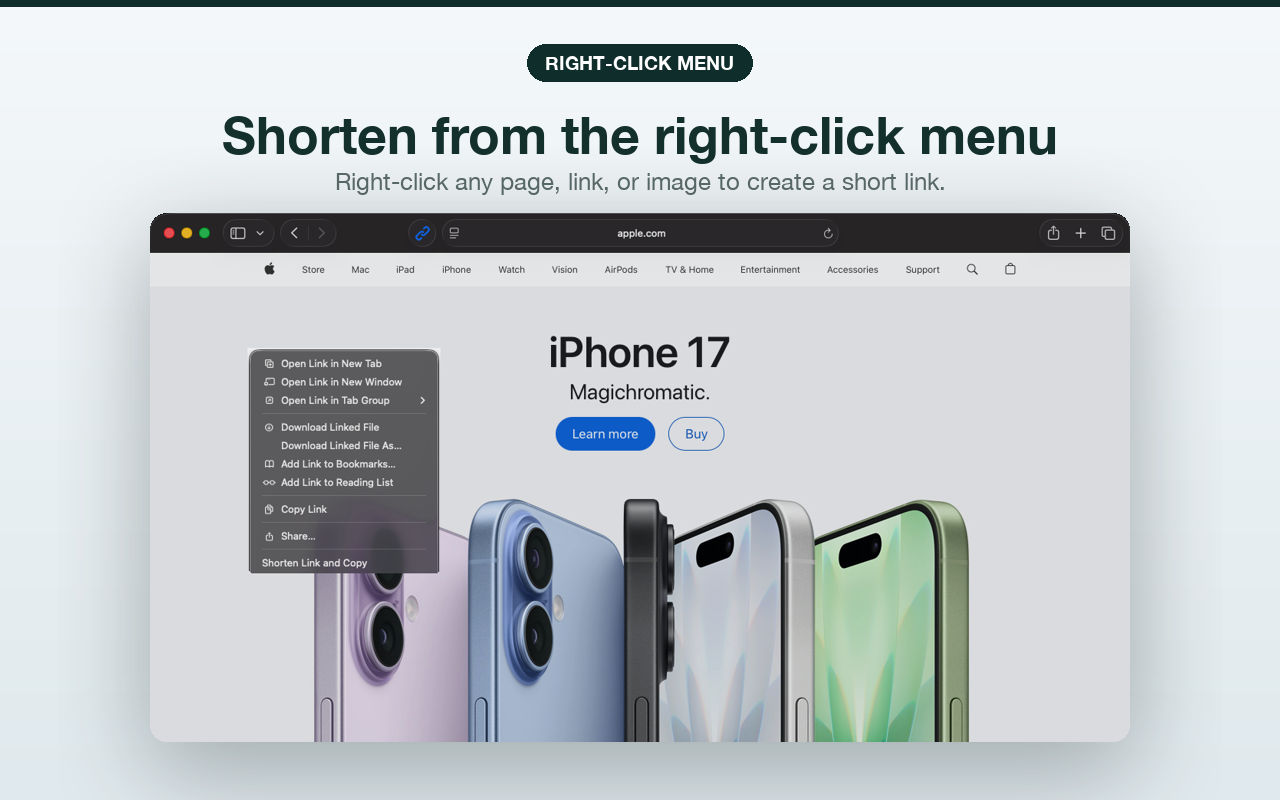
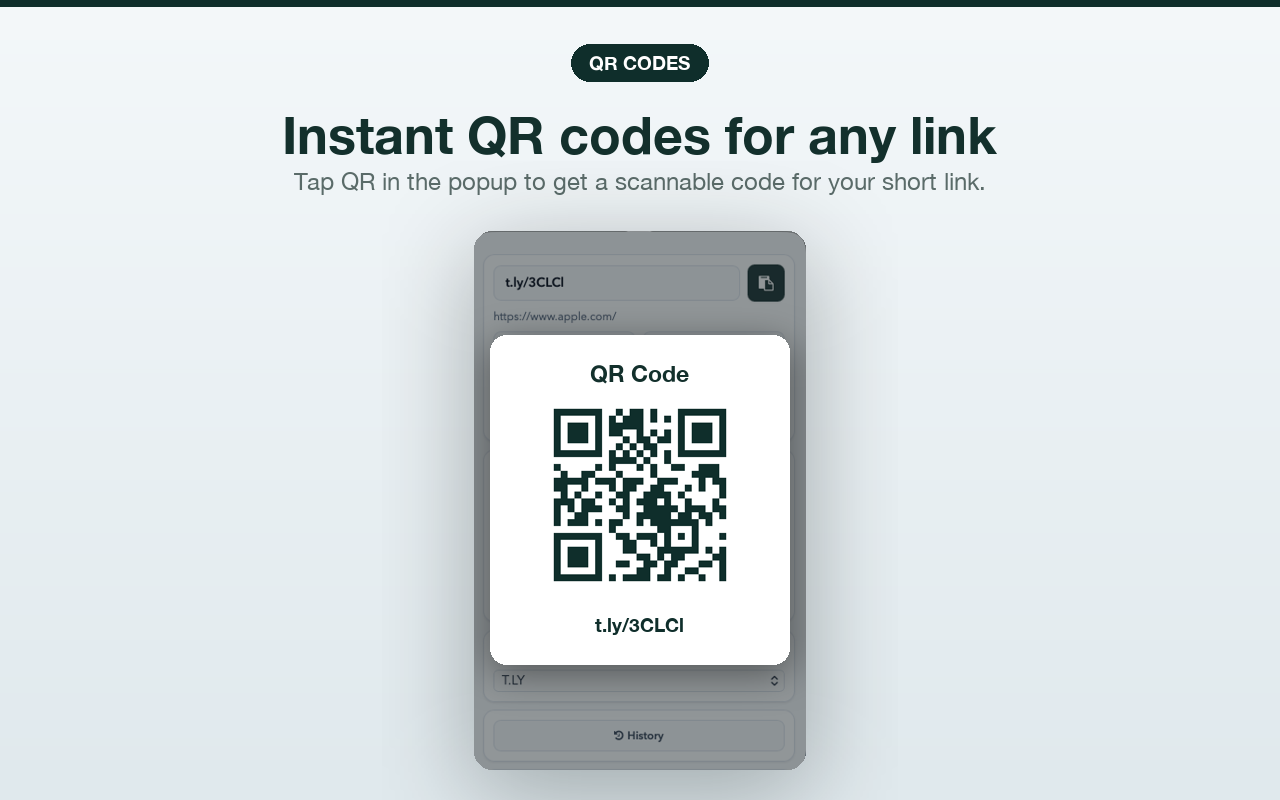
Create short links, use the right-click menu, and open QR codes from the browser you already use.
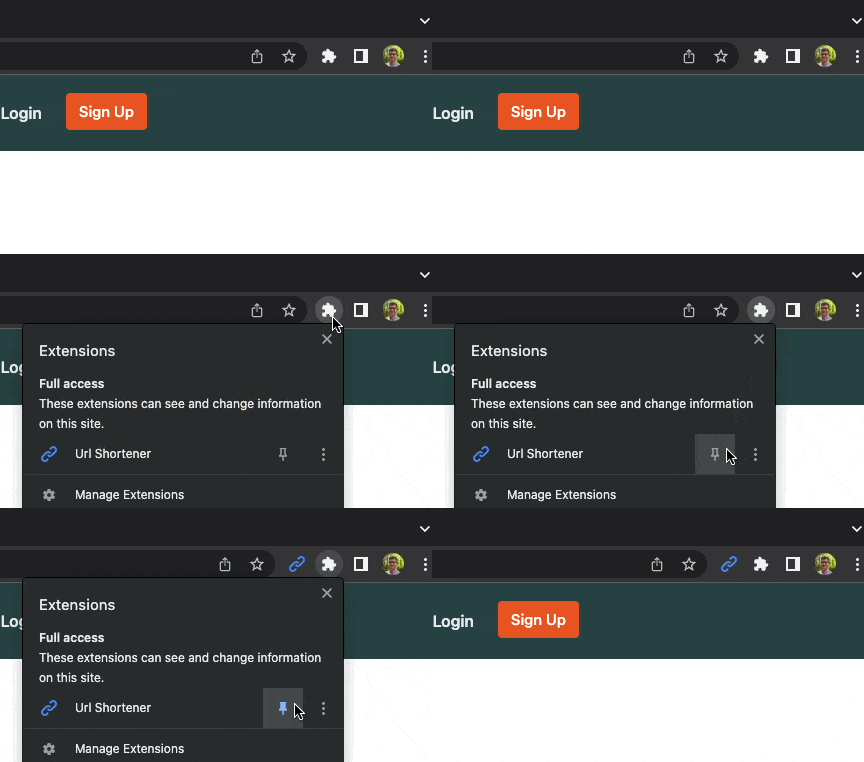
 Pin The Extension
Make sure you click the above to pin the extension for easy access. You can also add a keyboard shortcut to quickly create short links.
See What Your Next Link Can Do
The free extension handles one-click shortening. Upgrade to add the tools for links you publish, print, and measure.
Put your domain on every link
t.ly/aB3c
go.yourbrand.com/summer-sale
Use a domain your audience recognizes, with SSL included.
See what is driving clicks
Compare referrers, devices, locations, and QR scans without making the stats public.
Change the destination later
go.yourbrand.com/sale
Fix a destination or rotate a campaign without replacing the link you already shared.
Match the QR code to your brand
Create a QR campaign you can measure and keep useful after it goes to print.
Use these features with Hobby for $55/year
Start with a 5-day free trial. No credit card required.
Frequently Asked Questions
Is the browser extension free?
Yes! The extension is free to use. When you are ready to use your own domain, the Hobby plan is $55/year and includes a 5-day free trial with no credit card required. Start your free trial. If you want link management on your phone or tablet, use the T.LY mobile app.
Can I right-click on a link to shorten it?
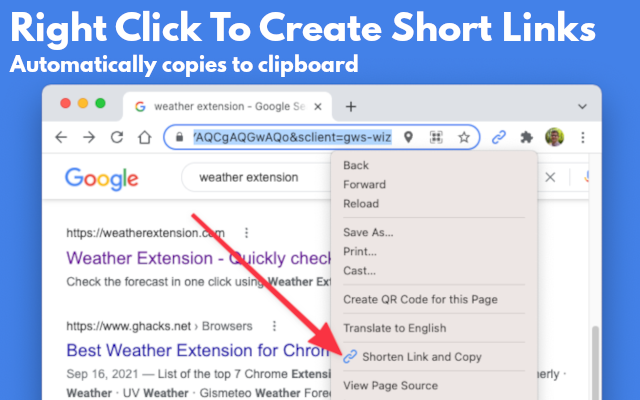
Yes, when you right-click on a url on the page, you should see an option to shorten and copy the link to your clipboard. Make sure you enable this setting in the extensions options.
Is there a keyboard shortcut to shorten a link?
Yes, you can map any key combination you like to quickly shorten a url. Go to extension settings then find shortcuts.
How to include https:// in front of a shortened link
Go to options and enable the setting for Include https:// in short links.
How do I view stats for a short URL?
T.LY tracks the redirect stats for short URLs. To view stats for any T.LY short URL, just a + sign to the end. Here is an example t.ly/P9IK+.
How do I create a QR code for a short URL?
Once you create a short link, you will see a QR code image. Click on the image to customize the QR code.
How do I submit a feature request?
Please send feature request to [email protected]
I need additional help
Please contact support for additional assistance. [email protected]
Connect Extension To T.LY
Here are the steps to add a T.LY API token to Link Shortener Extension.
- Create a T.LY account by signing up here.
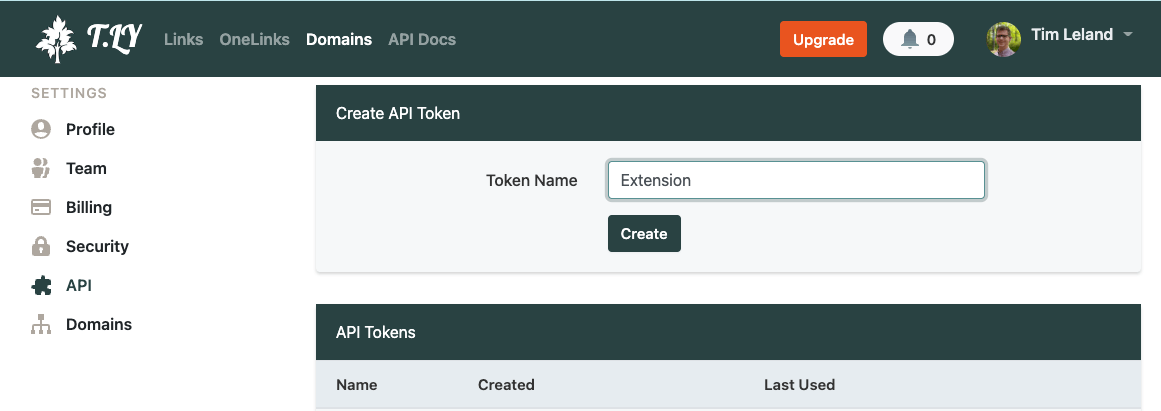
- Go Settings from the Top Menu.
- Enter Extension for token name and click Create.
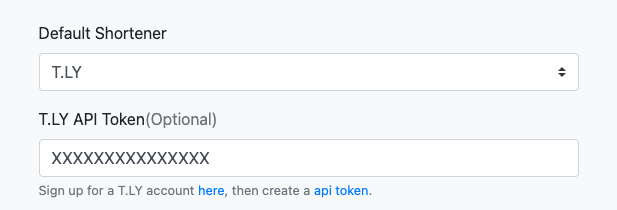
- Copy to token and open up Link Shortener Extension options by right clicking on the extension icon in your browser.
- Paste the API token in the field called T.LY API Token.
- Finally, click Save
- Now you have linked your T.LY account to Link Shortener Extension.
- If you need additional help, check out this guide.