QR Code Extension
Create a QR code from any page in one click. Download a sharp PNG, copy the short link, find recent QR codes, and track scans with T.LY.
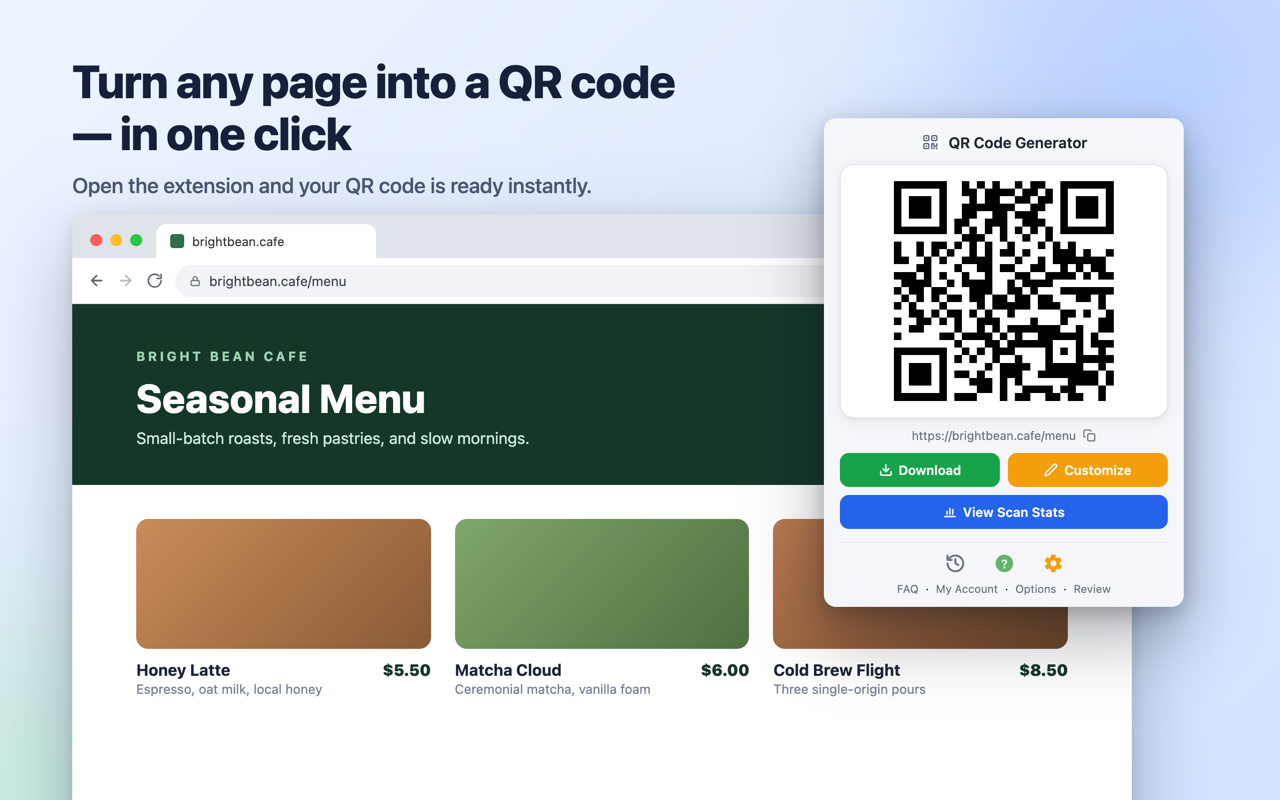
See the Extension in Action
Open the popup, save a high-resolution code, and keep scan analytics close without leaving the page you are on.


 Pin The Extension
Click the icon to pin the QR Code Extension for quick access. Add an optional keyboard shortcut to open the popup and copy the QR code without using your mouse.
Frequently Asked Questions
Is the QR Code extension free?
Absolutely. Install it for free and start generating QR codes right away. Create an account to unlock premium analytics and branding features.
Which browsers are supported for install?
Click here to install the extension. We support Chrome, Firefox, Opera, and Edge.
Can I create QR codes for any link?
Yes. Open the page you want to share and click the toolbar button. The extension creates a QR code for the active tab.
How do I download the QR code?
After the code is generated, click Download in the popup. The extension saves a 1024x1024 PNG that is ready for docs, emails, posters, menus, and other print jobs.
Does the extension support analytics?
Each QR code is tied to a T.LY short link. When someone scans it, you can view performance metrics inside your T.LY dashboard.
Can I find QR codes I created earlier?
Yes. Click the history icon in the popup to reopen recent QR codes and their original destination URLs.

How do I submit a feature request?
Please send feature requests to [email protected].
I need additional help
Contact support for additional assistance. [email protected]
Connect Extension To T.LY
Follow these steps to link the QR Code Extension with your T.LY account for branded, trackable QR codes.
- Create a T.LY account by signing up here.
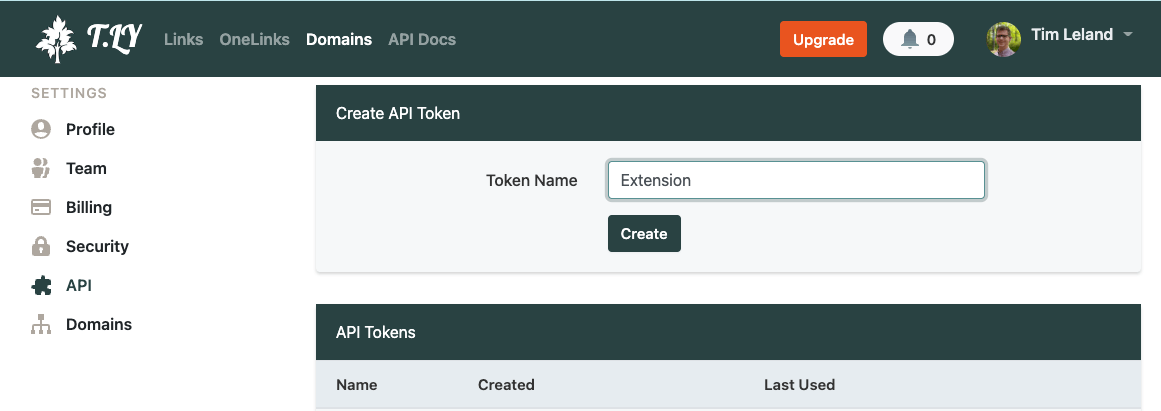
- Go Settings from the Top Menu.
- Enter Extension for token name and click Create.
- Install the extension from the QR Code Extension page.
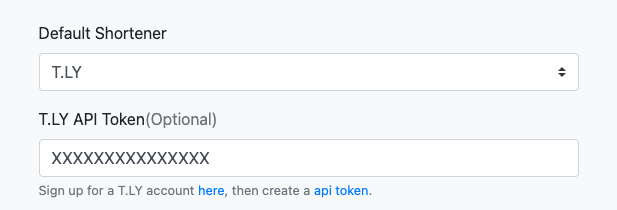
- Copy the token and open the QR Code Extension options by right clicking on the extension icon in your browser.
- Paste the API token in the field called T.LY API Token.
- Click Save.
- Your extension is now connected to your T.LY account.
 Browser Extension